For tattoo studios
How Inkstay works.
A request comes in, you quote, the client picks a time, signs the consent form, and aftercare starts after the session. Every step sits on the same client record.
 Illustrative image
Deposit received
$100 · Transfer · 2 Nov
What's ready for your studio.
- Request link and photo request form
- Quote with up to 3 time options
- Deposit and cancellation rule, accepted
- Manual deposit record, the money comes to you
- WhatsApp text for tomorrow's appointments
- Waitlist and freed slot announcements
- Consent signed by link or on a tablet, PDF
- Care plan written by your studio
- Cash summary and artist share
One record
From request to aftercare, one record.
Pick a stage and see what the studio and the client see at that moment.
 Sample
Sample Studio
Calendar open
Your idea
A fine-line moon with two small stars on the inner forearm.
Reference photos3 / 5
Request link
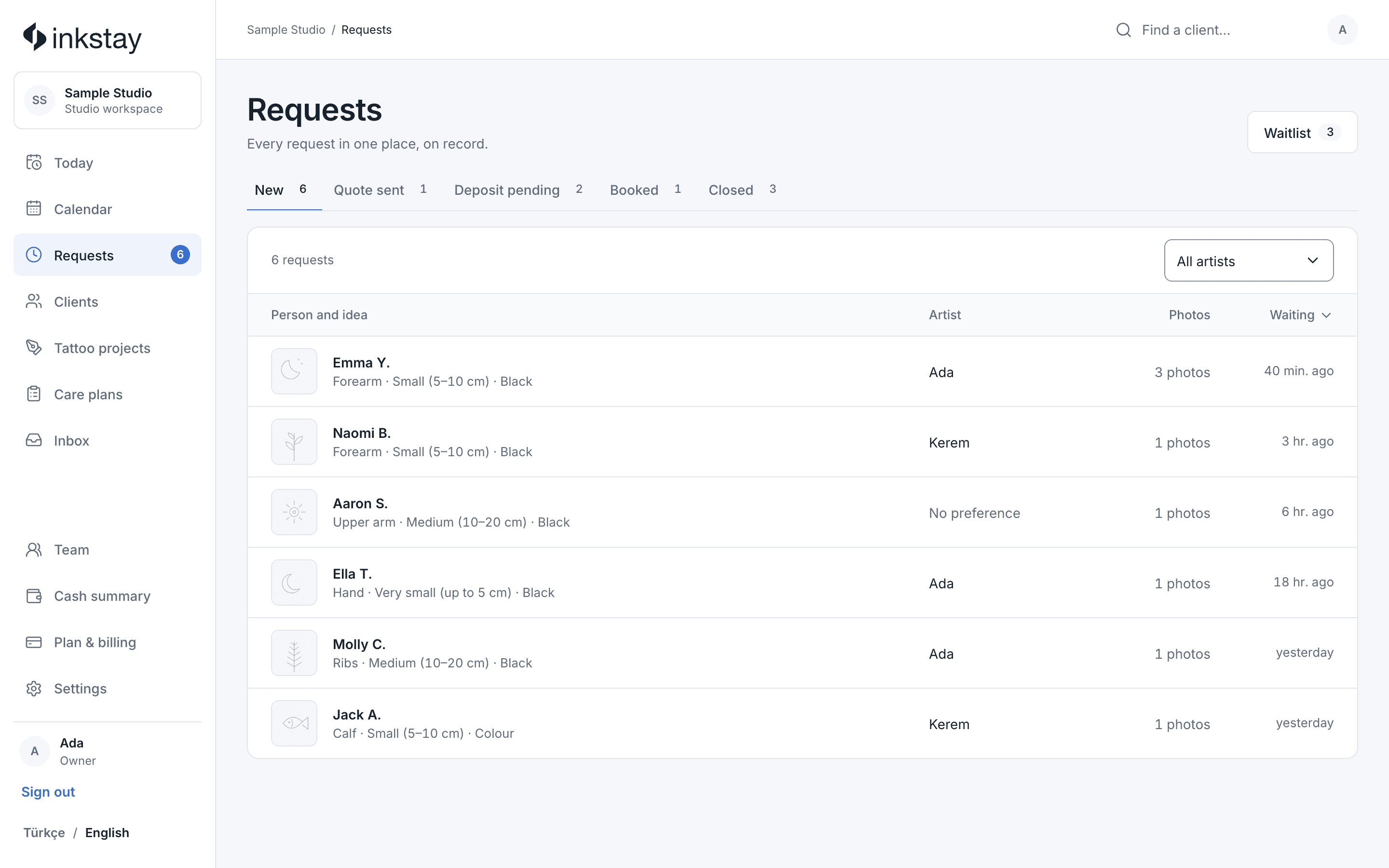
Requests come from your profile link.
Put the link on your Instagram profile and send the same one to anyone who asks in DMs. Clients fill in the form without an account: the idea, up to 5 reference photos, placement, size and timing. While your calendar is closed, they see your note instead of the form.
Sample Studio
Calendar open
Your idea
A fine-line moon with two small stars on the inner forearm.
Reference photos3 / 5
Quote
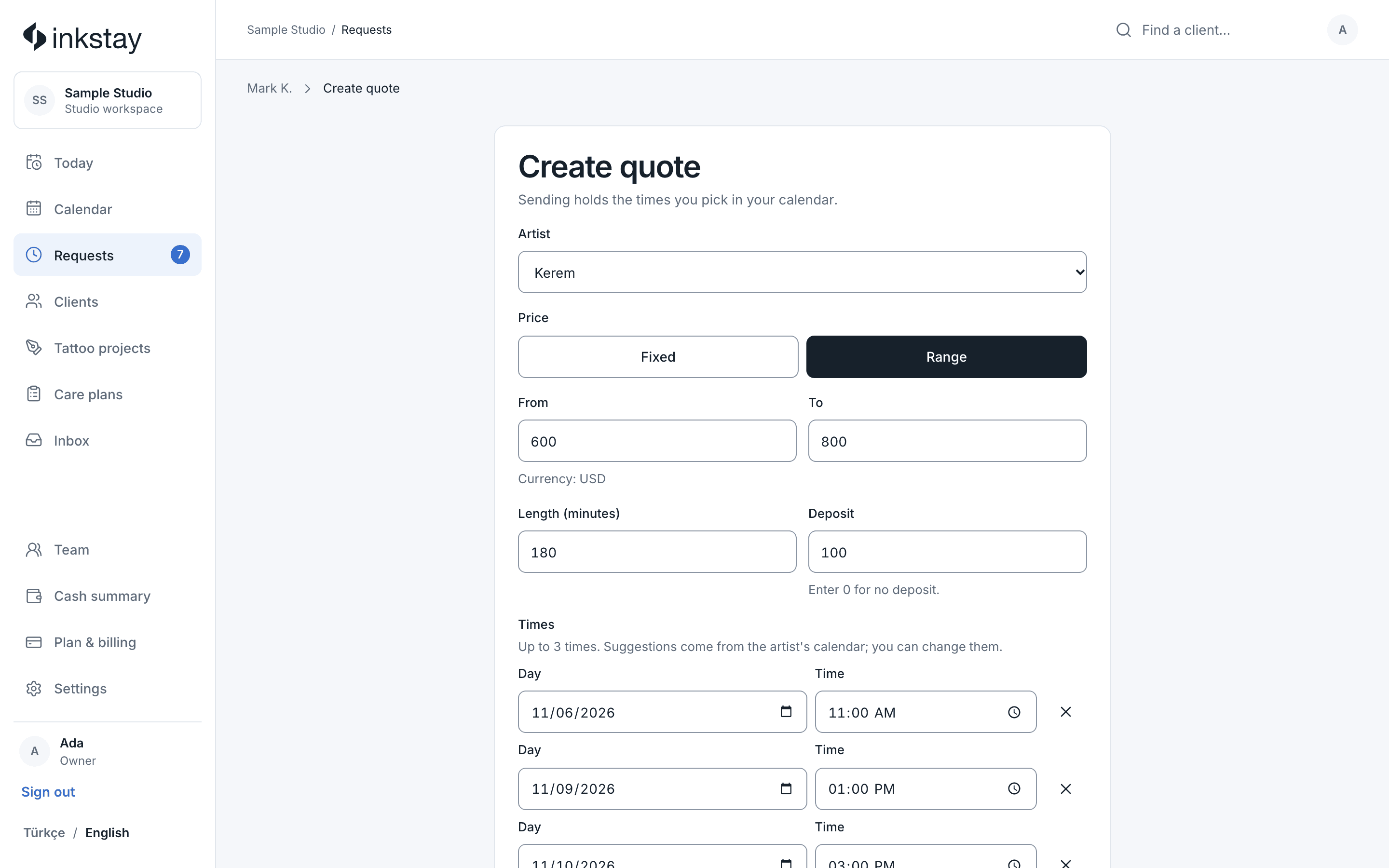
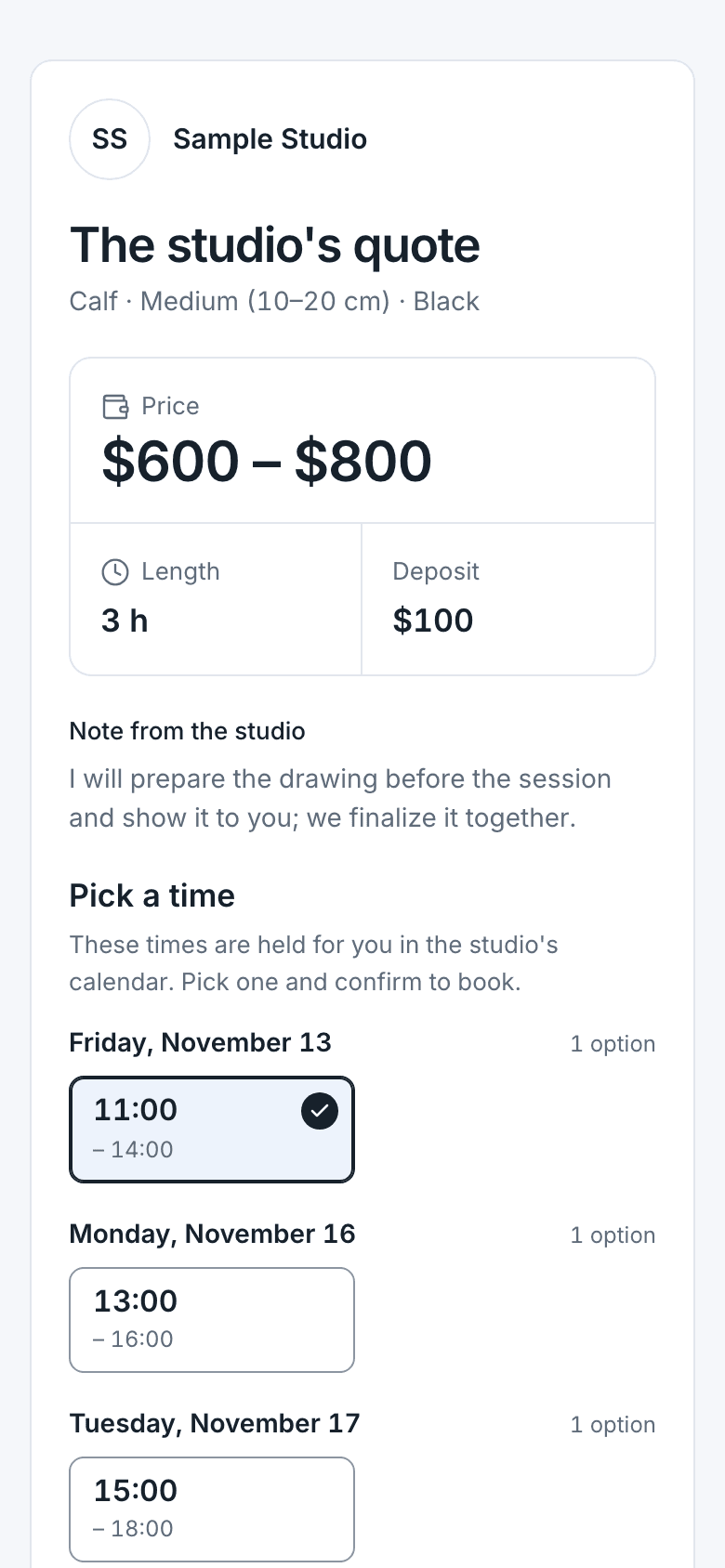
You quote right on the request.
A price or range, duration, deposit and up to 3 times. The link goes to the client by email; if they left a number, you send it from your own WhatsApp with a ready message. Notes you write often come in with one tap as saved replies.
Create quote
Ece Y. · Forearm · SmallWe finalise the sketch together before the session.
Send quoteDeposit and cancellation rule
Clients accept your rule before booking.
You write your own rule; it sits above the accept button on the quote page. The client ticks “I've read it and accept”, and the rule and the time of acceptance are kept with the quote. The deposit comes to you; when it arrives, you mark it received. Inkstay takes no money.
Deposit and cancellation rule
The studio's own rule.
The deposit comes off the session price. You can move it once up to 48 hours before the session; later cancellations are not refunded.
I have read it and I accept
Pick the time and acceptCalendar and reminders
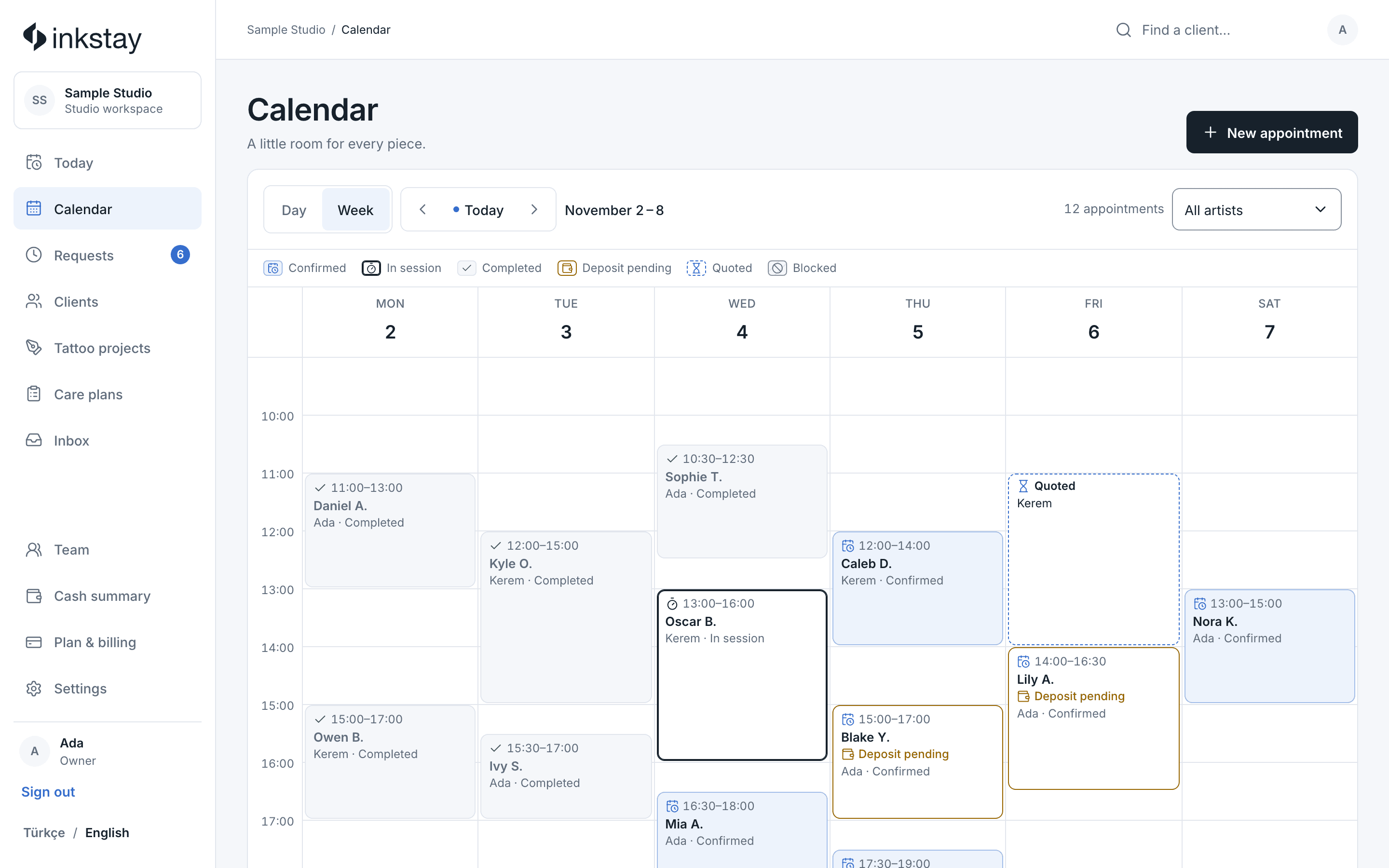
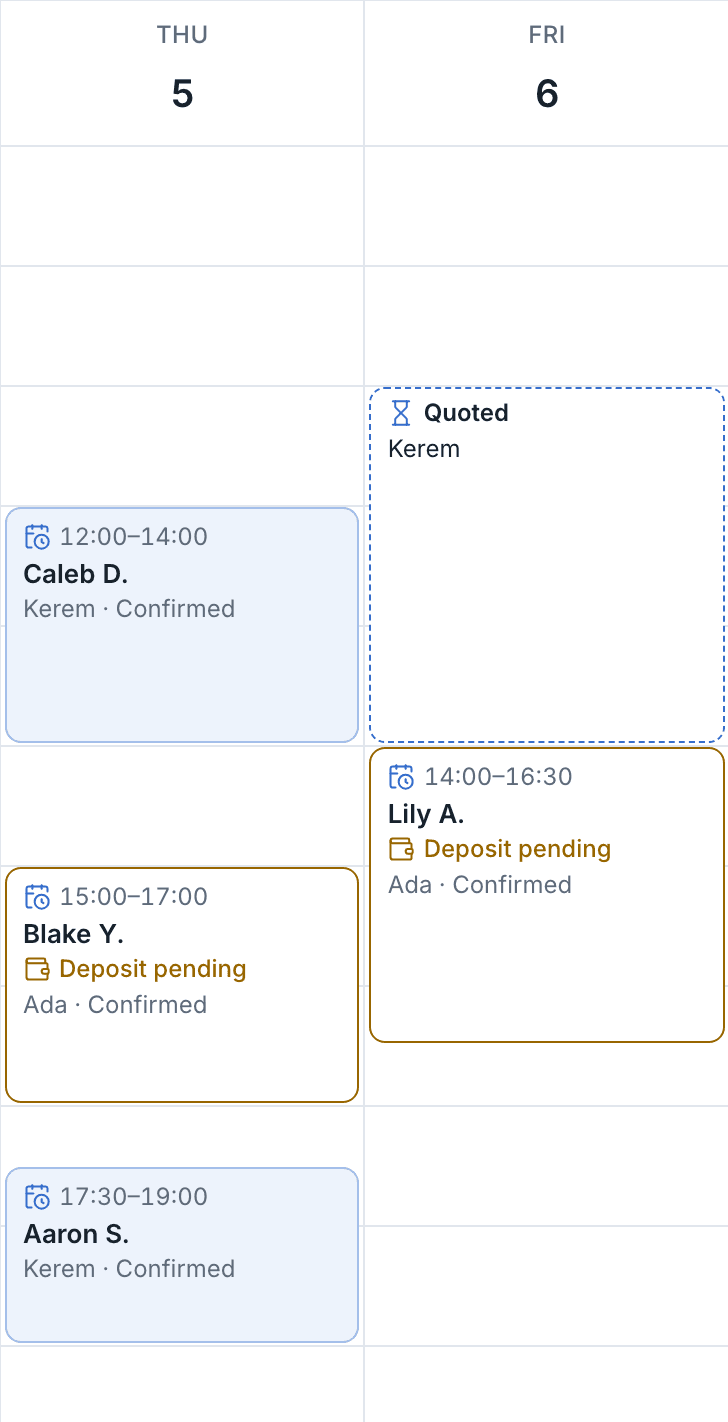
Remind tomorrow's clients in one tap.
See appointments by artist; move, cancel, or mark them no-show or completed. On the Today screen, “Remind on WhatsApp” for tomorrow's appointments comes ready with the time, address, deposit status and rule. You send the message.
Calendar
Thursday, 6 November
Waitlist
Announce a freed slot to your list.
While your calendar is closed, your request page shows a form to leave a name. When a slot is cancelled, “Announce this slot” emails everyone on the list; a Story text and the link are ready to copy.
Announce this time
Thu 6 Nov · 14:00 · Kerem · 180 min freed.
Waitlist3 people
- Ece Y.Forearm · Small
- Mert D.Upper arm · Medium
- Zeynep K.Wrist · Very small
Client history
Every client's history on one page.
Requests, appointments, no-show and cancellation counts, deposit records and signed consent forms in one place. No scores or labels; only records and counts.
Selin Aydın
First request · March 2026
- 4
- Appointments
- 0
- No-shows
- 1
- Cancelled
- Forearm · fine-line moon6 Nov · Completed
- Deposit received$100 · 2 Nov
- Consent form signed6 Nov 13:42 · PDF
Care plan
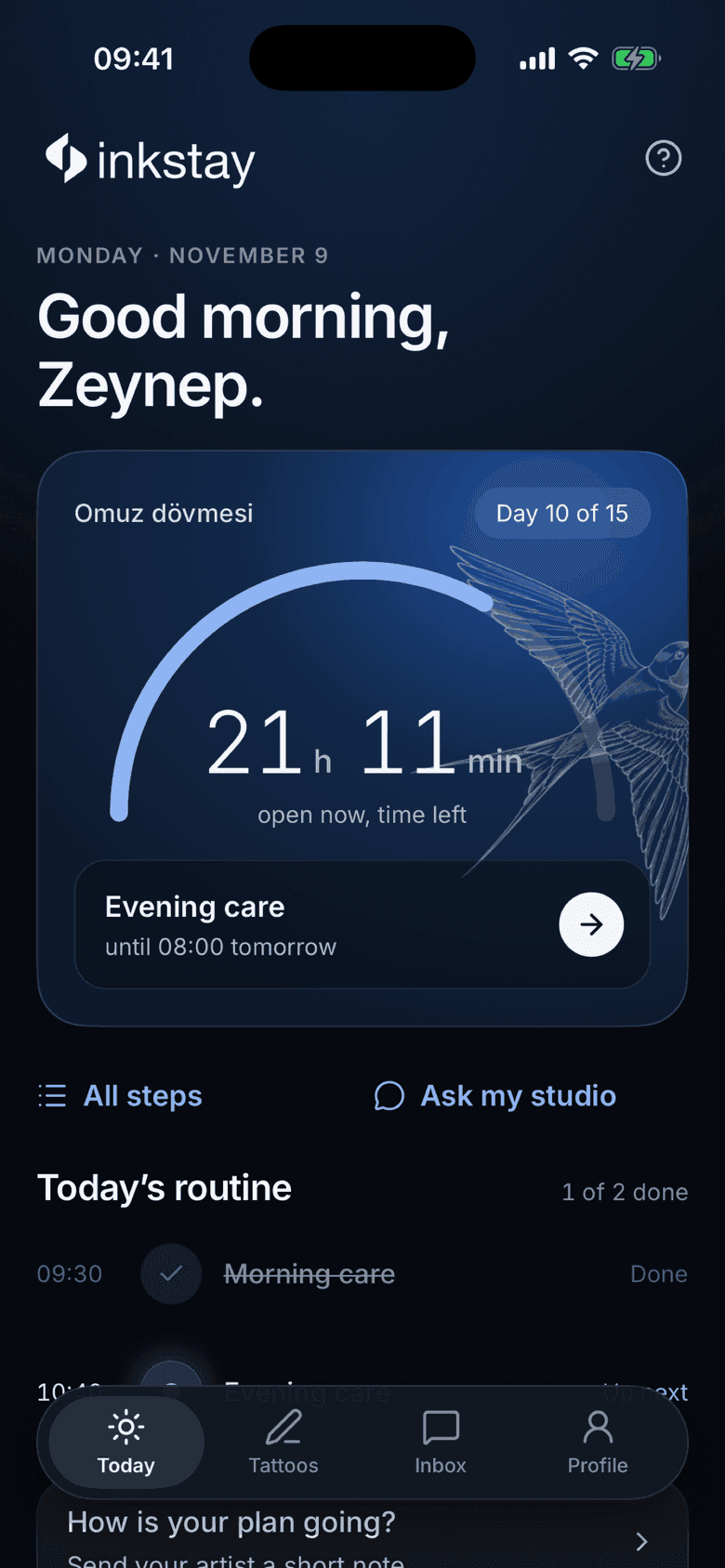
Your care instructions on their phone.
When you complete the session, you hand over the plan by QR or code. The client sees the day's steps in their phone's browser and writes to you with questions. Your studio writes and publishes the instructions; Inkstay gives no medical advice.
Sample Studio
Your care plan
Next · 20:00
Evening care
Today's steps
- Morning care
- Midday care
- Evening care
Written by Sample Studio.
Message the studioDigital consent form
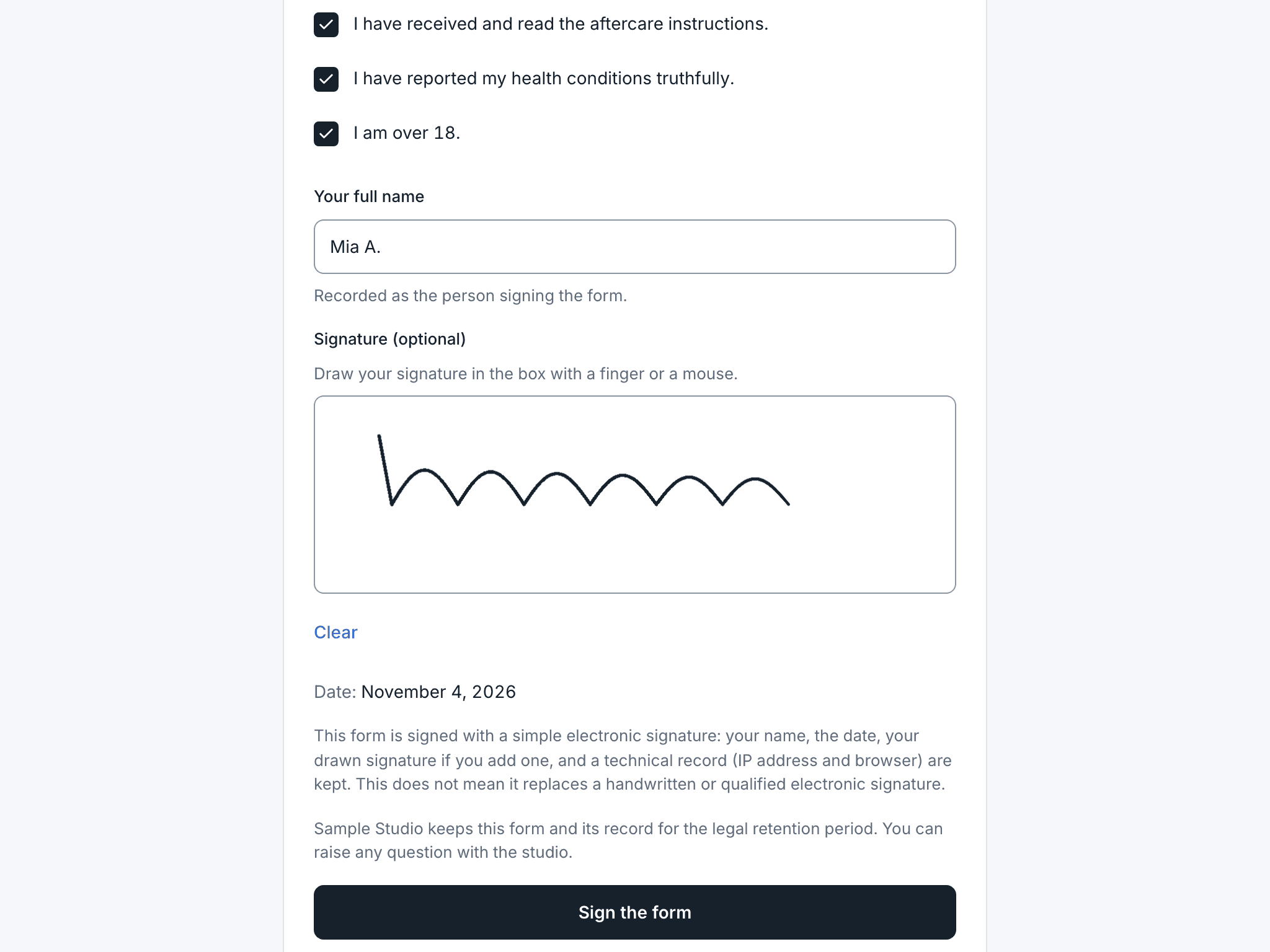
Consent is signed before the session.
Your studio writes the form. The client reads it by link or on the studio's tablet, answers the questions and signs.
 Illustrative image
Your consent form is ready: inkstay.app/…
You send the form by link or open it on the studio tablet.
- Sample
Consent form
Sample Studio · version 3
- I have read and understood the form.
- I answered the health questions truthfully.
- I am 18 or older.
Full nameSelin AydınSignatureSign the formThe client answers the questions and signs, with no account.
Signed consents
Consent form · version 3
6 November 13:42 · On the tablet
Consent form · version 2
12 May 10:15 · By link
SampleConsent form signed
PDF · on the client record
The signed form stays on the client's record with the version they signed, and downloads as a PDF.
Cash summary
Artist shares ready at month end.
When you complete a session, you note the fee and how it was paid. You see daily and monthly totals with the studio's and the artist's share by percentage. It makes no payments and doesn't replace accounting or invoices.
Cash summary · November
14 sessions- Session prices
- $9,100
- Studio share
- $4,550
- Artist share
- $4,550
By payment method
- Cash %38
- Card %44
- Transfer %18
Artist share
- Ada8 sessions · 50%$2,600
- Kerem6 sessions · 50%$1,950
Team and roles
Everyone sees their own work.
Owner, manager, artist and reception. Only the owner, the manager and that artist see health answers.
TeamSample
Invite| Person | Role | Health answers |
|---|---|---|
| Ada | Owner · Artist | Sees them |
| Deniz | Manager | Sees them |
| Kerem | Artist | For own clients |
| Elif | Reception | Doesn't see them |
Where we are today.
Inkstay is a new product. We have no live studios yet; we're building it with the first 6 studios. We make no claims about client numbers or results.
What your studio uses every day.
Requests and quotes
Questions about the flow.
Can I use it with WhatsApp?
If a client left a number, you send the quote link from your own WhatsApp with ready text. It also goes by email. Inkstay doesn't send the message; you do.
Does a request become a booking by itself?
No. You quote first. Once the client picks a time and accepts, the appointment lands on the calendar as awaiting deposit. Nothing is accepted without you quoting it.
Where do client photos live?
Photos upload only if the client consents. File details such as location are removed, and photos aren't kept anywhere public. The request and its photos appear in your studio workspace.
Does it connect to my own calendar?
No, there's no calendar sync. Inkstay has its own calendar, which holds appointments from quotes and the ones you add. If you don't want to keep two calendars, we'll talk it through at set-up.
Can I move my old records over?
We have no bulk import. We suggest starting with new requests; you can add a client by hand when you need to.
Does it use AI?
No. Inkstay doesn't interpret photos or suggest prices. The artist decides.
Who prepares the consent form?
The studio. Inkstay gives you a starter text to edit; you change it to suit your studio and local rules. Every save is a new version, and signed forms stay in the version that was signed.
Try it in your own studio.
Pilot studios set up together with the founder and use Inkstay free for 42 days from the day they go live.
 Illustrative image